How I Moved My GTA 5 Save to Enhanced Without Losing My Mind
GTA 5 Enhanced save transfer from GTA 5 Legacy explained, with story-mode steps, policy hurdles, and the crucial one-time import rule.
Look, I love a shiny new graphics upgrade as much as the next person, but next-gen game transfers never go as smoothly as the marketing team promises. So when I fired up GTA 5 Enhanced on PC in 2026 and decided to bring my old story-mode save over from GTA 5 Legacy, I wasn't exactly shocked to hit a few potholes. What did surprise me was how badly Rockstar explains the whole dance. If you're about to do the same, buckle up—I'll walk you through the save transfer, the weird online-policy hoop, and the one-time-only rule that can bite you if you're not paying attention.
First things first: Legacy and Enhanced are separate installs with separate save data. That means your old progress doesn't magically appear in the new version, and you can't bounce back and forth like it's a shared Google Doc. The good news? Moving your story save is mostly a menu job. The bad news? You have to agree to Rockstar's online policies to upload singleplayer data, which is the kind of nonsense that makes you go 'wait, what?' 😅
Here's the story-mode transfer in plain English:
-
Launch GTA 5 Legacy as normal and open story mode.
-
Open the menu, go to the Game tab, and find Upload save game.
-
If you get a warning about accepting Rockstar Games Online Policies, don't panic and don't leave your game.
-
Choose the one—and only one—save file you want to upload.
-
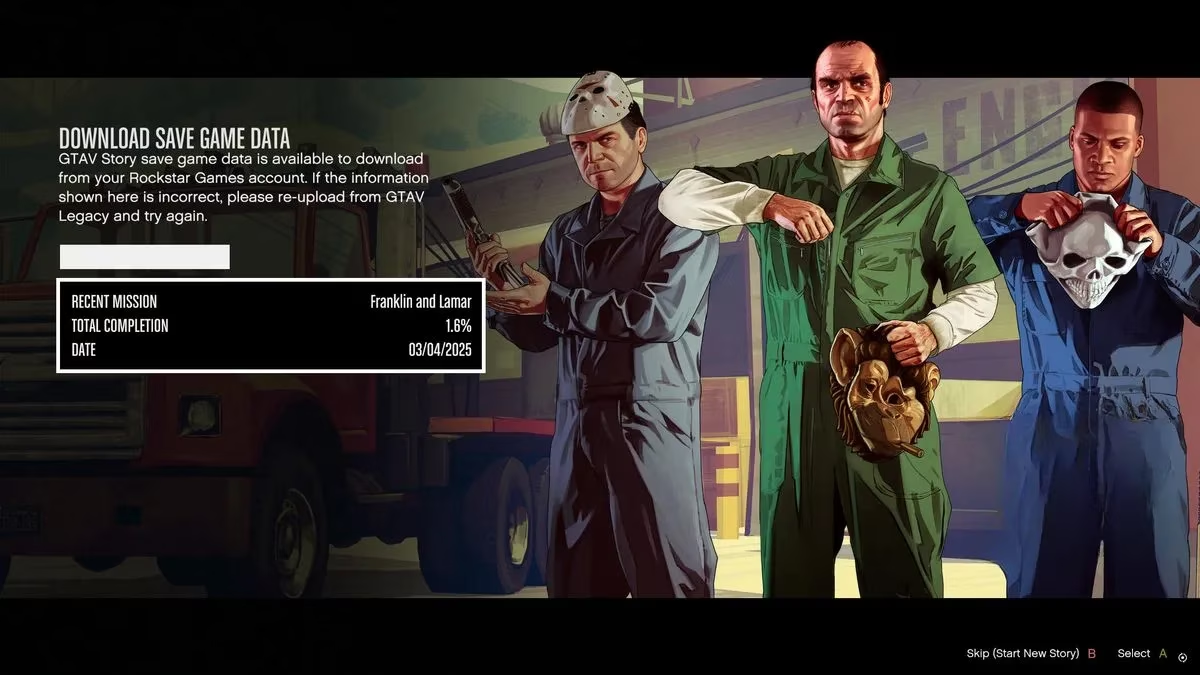
Open GTA 5 Enhanced, start story mode, go to Game, and choose Download save game.
-
Accept the download of the save attached to your account.
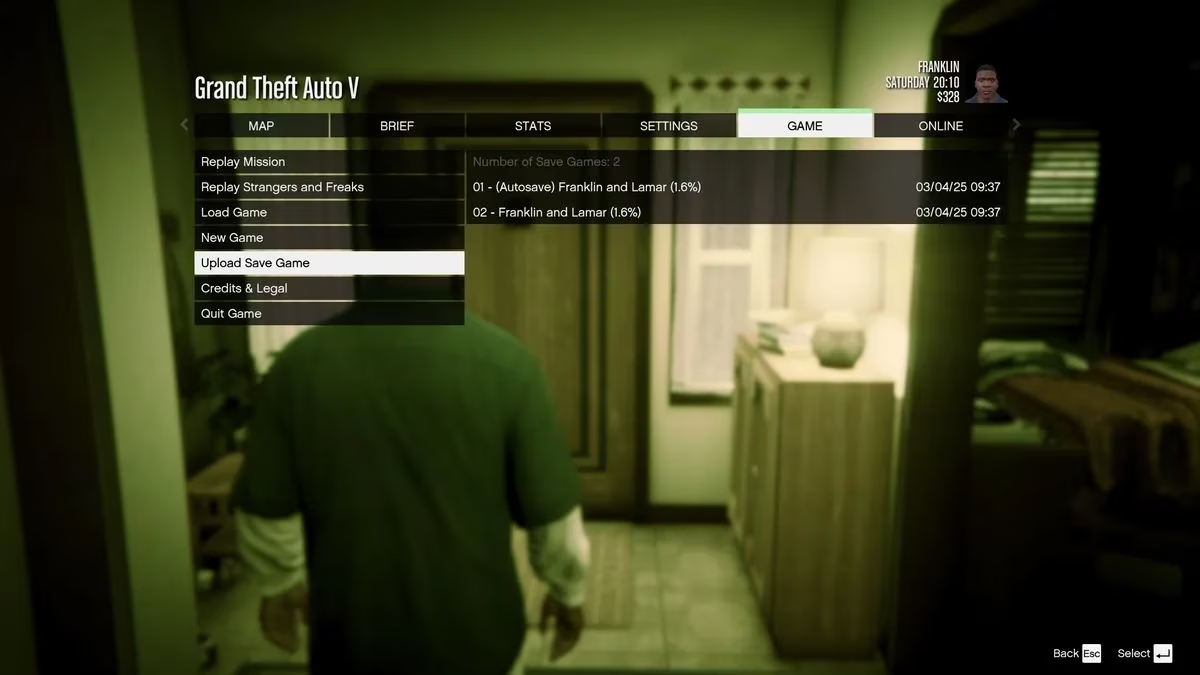
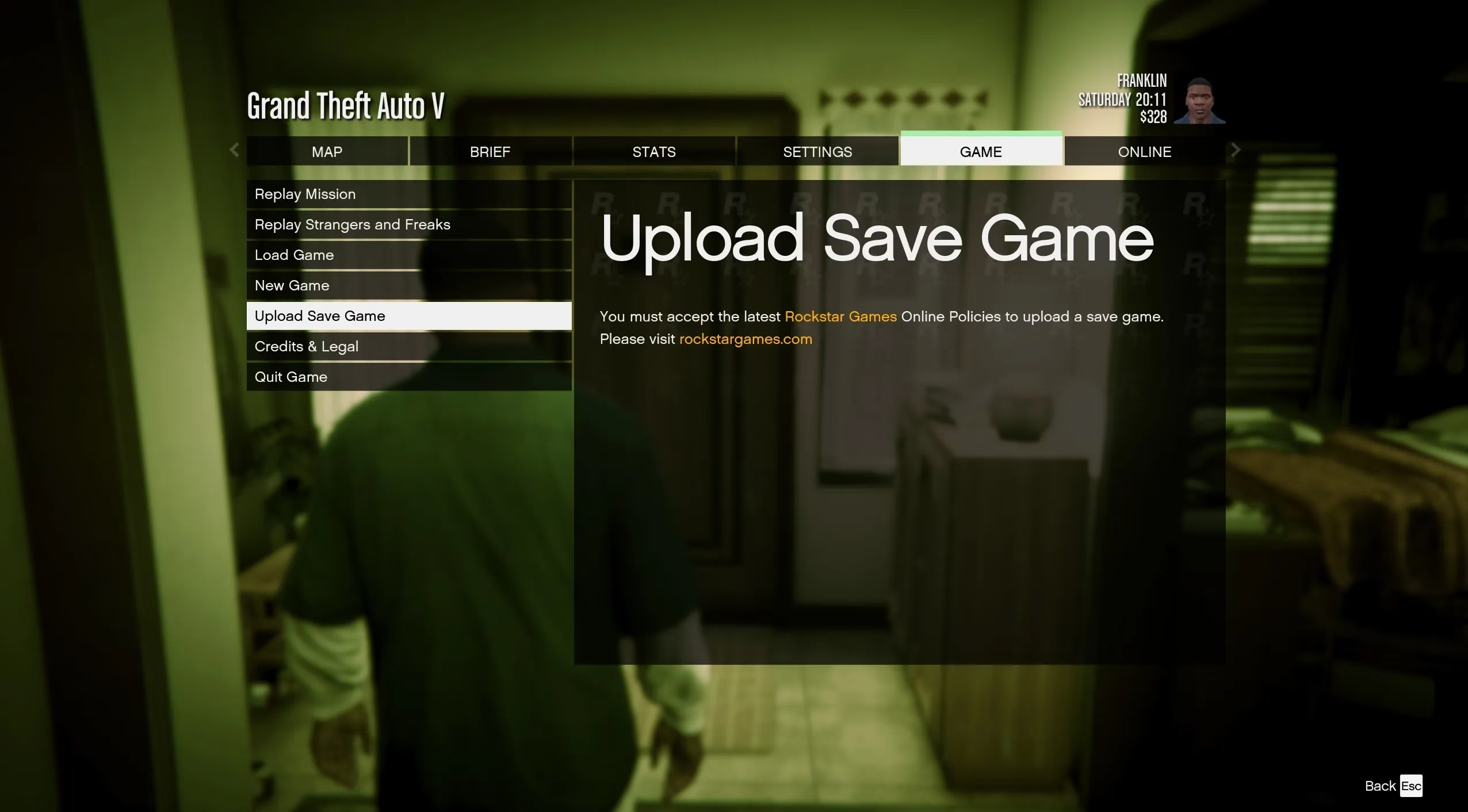
That sounds simple enough, right? The policy warning is where I nearly hydroplaned. When I hit Upload save game, the game told me I needed to accept the latest Rockstar Games Online Policies. It then pointed me toward the Rockstar website, which was about as helpful as a chocolate teapot. The trick is to ignore that direction entirely and stay in the game. Open your menu, go to the Online section, and try to launch GTA Online. You'll get a notice asking you to accept the latest privacy policy and code of conduct before entering GTAO. Tick the box, accept, and then head back to story mode. Suddenly, Upload save game works. Why do you need to agree to online policies for a singleplayer save? I have no idea. Rockstar works in mysterious ways. 🤷
Here's the part you absolutely cannot skip: you can only import a save file to GTA 5 Enhanced once. Not once per day, not once per character—once, full stop. You can reupload saves to your account from Legacy as many times as you like, overwriting the one you picked before. But the moment you import into Enhanced, that's your one shot. So don't rush it. Pick the save you actually want, not the one you made at 3 a.m. after a bad heist.
Also, importing will overwrite any save data you've already made in GTA 5 Enhanced. If you've already sunk hours into the updated version before importing, you're going to have a bad time. Do the transfer first, then start playing. And no, you can't transfer Enhanced progress back to Legacy. Rockstar doesn't support that, and honestly, why would you want to go back? The Enhanced version is the one you're committing to now.
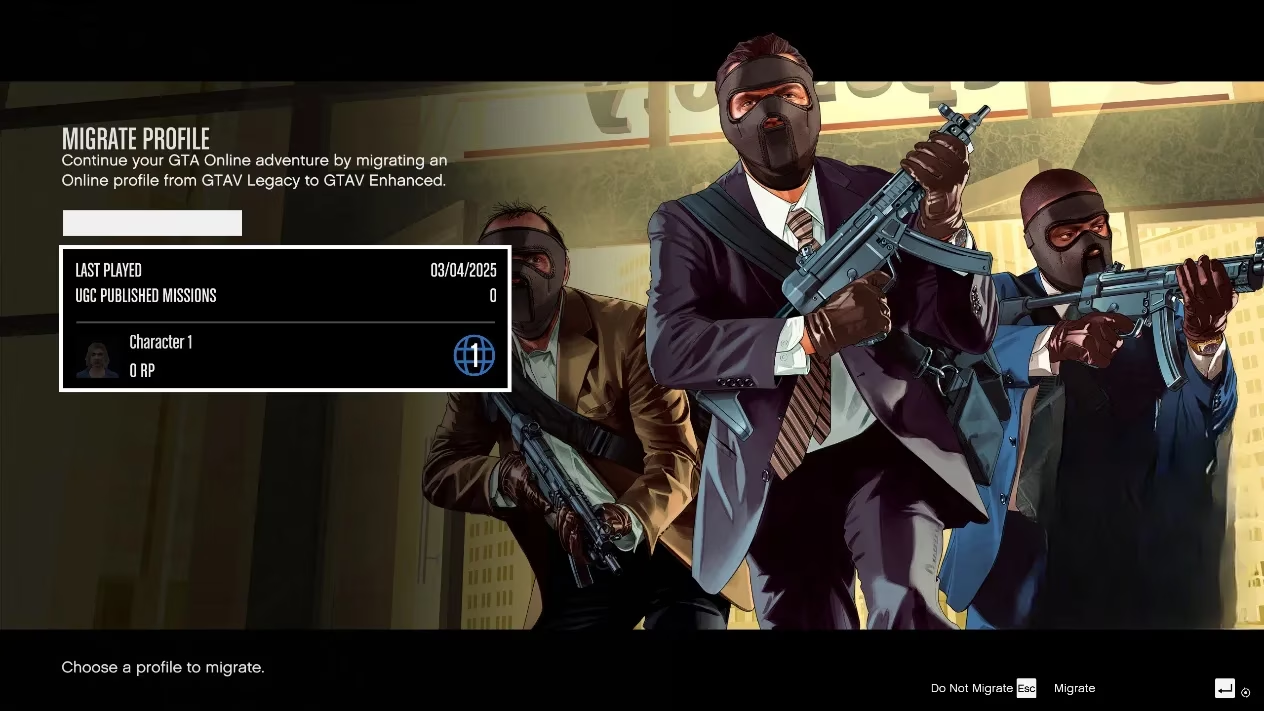
GTA Online progress is a different beast, but it's actually less of a headache. Start GTA 5 Enhanced and enter Online mode. Before you load in, the game should ask if you want to migrate your profile from the Legacy version. Press Enter to accept, and your characters come over. No juggling menus, no policy scavenger hunt—just a straight-up migration prompt. Piece of cake compared to the story-mode shuffle.
One major heads-up: Legacy and Enhanced are separate instances. Once you move to Enhanced, you can't play online with friends who are still on Legacy, and your progress won't stay in sync between the two versions. That means if you migrate your profile, you're committing to the new version. Don't expect to hop back to Legacy for a quick session with your old crew unless you're ready to leave your migrated progress behind.
Here's a quick cheat sheet for the whole process:
| Task | Where to do it | Key catch |
|---|---|---|
| Upload story save | GTA 5 Legacy → Game → Upload save game | Accept online policies first via GTA Online |
| Download story save | GTA 5 Enhanced → Game → Download save game | You only get one import, ever |
| Migrate GTA Online profile | GTA 5 Enhanced → Online | One-way trip; no cross-version play |
| Keep old save data | Both versions | Transfer doesn't delete Legacy saves, but it overwrites Enhanced saves |
My advice? Treat the transfer like a heist planning board: do it before you invest time in Enhanced, double-check which save you're uploading, and don't let the policy warning throw you off. Once it's done, you're good to go. The Enhanced version looks great, runs smoothly, and having my old story progress there from day one was worth the ten minutes of menu gymnastics. Just don't expect Rockstar to hold your hand—they'd rather send you on a wild goose chase. 🎮